
The Texas Court Calendar
Hearings and trial events in Texas get set by the court where the case lives. So a Texas court calendar is really a working schedule for one court. Sometimes it covers a cluster of courts. That makes it different from a Texas docket. A docket records the events tied to a single case. Some courts post daily criminal lists or weekly civil settings. Others run jury and non-jury dockets or a central docket call. Format and name vary from court to court. Calendars can change after they are published, so an old PDF is never the final word on a date.
Local courts and clerks publish what they choose to publish. The statewide re:SearchTX portal has a Hearings category, but only for participating sources. It is not one live calendar for every Texas trial court. A case lookup can tell you the cause number and the Texas court handling the matter. Then you confirm the current setting with the court itself or through its local calendar. For the difference between the Texas statewide case index and the local case record, see the Docket Search page.
Note: A missing hearing result may simply mean the source does not participate. It does not prove that the local court set no date.
Texas Has No Single Court Calendar
No single daily calendar covers all 254 counties plus their justice, municipal, and trial-court settings. Texas online calendars are local tools, full stop. Some courts post a daily docket or hearing list. Others rely on a coordinator, publish weekly reports, or feed selected settings to a connected source. A statewide hearing result can help, but its presence depends on which sources participate. Its absence proves nothing about whether a Texas hearing was set.
Begin with the Texas court named on the citation, notice, or case papers. If the court is unclear, work out the county and case type. Then use the Browse Counties directory to reach the right local court and clerk. Justice and municipal matters often run on separate portals from district and county courts. Texas appellate oral arguments sit on appellate court pages rather than any trial-court calendar. Remote-hearing resources explain how to attend, but they are not a schedule.
Texas Court Date Lookup Steps
Let the Texas case papers pick the court, then choose the right way to confirm the date. The statewide portal can surface hearing information from participating sources. When a setting is missing or two listings conflict, the court's local calendar, the Texas clerk, or the coordinator settles the question.
- Read the Texas notice, citation, or case paper and note the court, county, cause number, and any named setting date.
- Search re:SearchTX under Hearings if the Texas case source participates. Treat a result as a lead, then verify it with the local court.
- Open the county or Texas court’s online docket, calendar, or posted daily and weekly schedule. Use Browse Counties to reach the relevant local court links.
- Check the Texas court name, date, time, courtroom or judge, and setting type. Compare the latest entry with any signed order or formal notice.
- Call the Texas clerk for the case-file entry or status. Call the court coordinator for scheduling logistics, such as a setting confirmation or reset.
- If an online calendar is not available or does not answer the question, ask the Texas clerk’s office about an in-person counter search or public terminal, and whether a daily printed calendar is posted.
These Texas routes serve different needs. A statewide hearing search is a convenience limited to participating sources, while a Texas county calendar sits closer to the court's day-to-day operations. The clerk keeps the case file; the coordinator manages court scheduling. Never assume a county clerk's general case-history screen doubles as the live Texas calendar.
A Local Texas Calendar's 7 a.m. Update
One Texas local criminal calendar shows how precise the search can get. The Travis County Criminal Docket Search lets you search by client name, attorney name, court or judge, and case or cause number. Quick date choices include Today, Next Business Day, This Week, and Next Week. Attorney and Texas court searches can span date ranges. The court list covers named district and county criminal courts, court administration, and magistrate settings.
The site says its data are valid as of 7 a.m. each day. It advises checking again the day before you appear. That is a local update statement only, not a promise about any Texas-wide refresh. When a Texas hearing date is close, trust the court's actual notice. Call the court office if the public listing is unclear. The Travis Courts portal also offers a public criminal docket search alongside civil calendar tools. This is a local portal, not a statewide Texas calendar.
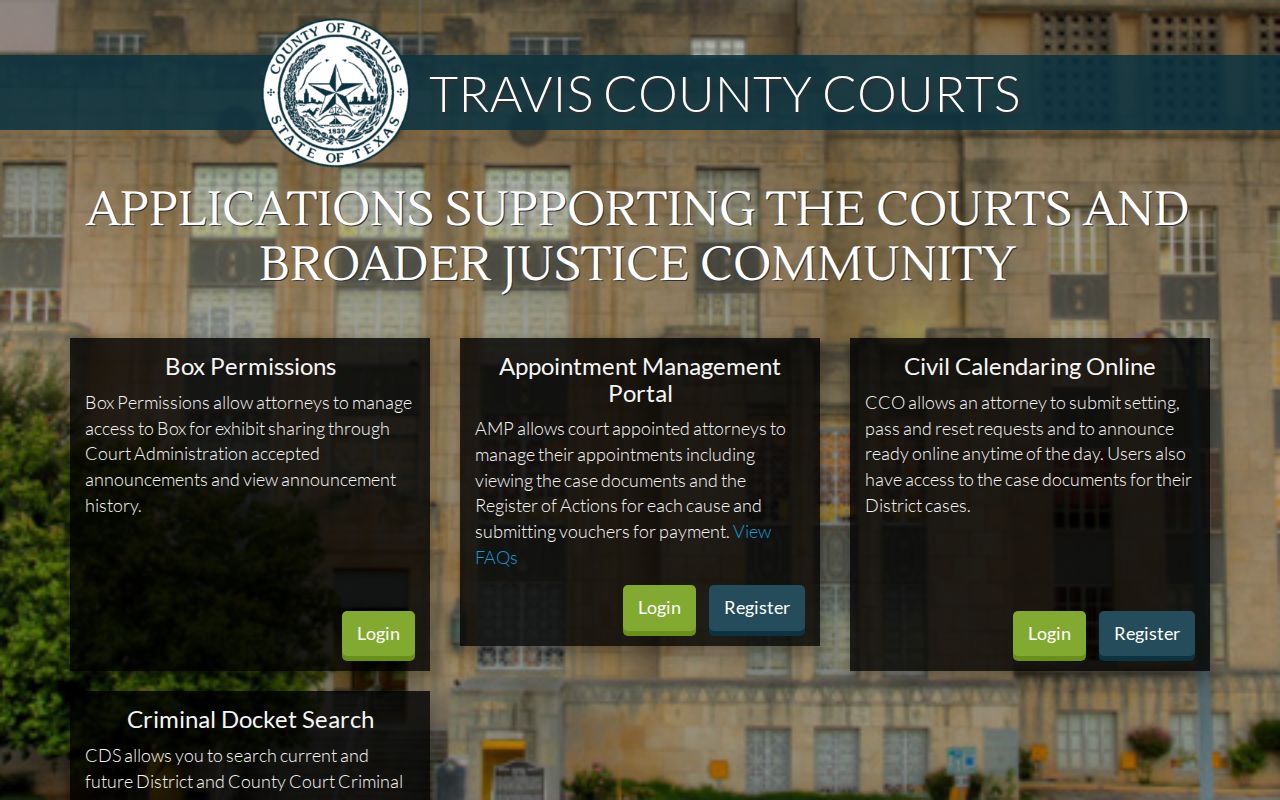
The Texas portal's criminal and civil tools follow different workflows. A search result helps you locate a setting, but it never replaces reading the court's current Texas instructions.
Note: The 7 a.m. update statement applies to this local calendar and is not a Texas-wide refresh guarantee.
What a Texas Setting Shows
A Texas setting row is a short scheduling record. It is not a full account of the case. Which fields appear depends on the Texas court and calendar. The Travis County Criminal Docket Search, for instance, organizes results around a chosen search mode. It adds date or court information. Texas civil lists may group matters by central docket, jury, or non-jury settings. Use the row to identify the event, then match it against the court's latest notice.
| Cause Number and Style | Identifies the local case and, where shown, its caption. Numbering varies across counties, courts, clerks, and years. |
|---|---|
| Setting Date and Time | The scheduled event time. A newer setting or signed order may supersede an older calendar line. |
| Court and Judge | Names the court, judge, or court number. Room or division details appear only where that court publishes them. |
| Setting Type | May identify an announcement, pretrial, motion, jury, non-jury, status, or other setting category. |
| Status or Update | May show an outcome, reset, or source timestamp. Labels and update timing vary by local system. |
Check the Texas cause number and court first. Do not assume a calendar row belongs to the case you are tracking. One name can appear on several dockets. The court number is what keeps similar captions apart. Keep in mind that a Texas court calendar may refresh on its own schedule, apart from the clerk's event register. A result row is only a snapshot. When something looks uncertain, the signed notice or order plus a direct confirmation from the court settles it.
Note: Published calendars may leave out fields like courtroom or result. Each Texas court picks its own display format.
Texas Calendar Rows and Docket Entries Differ
A hearing setting and a docket entry give you two views of one event. Neither repeats everything the other holds. The register records case activity, such as a setting, reset, or order. A public calendar groups events by date, judge, court, or docket type. Scheduling news can reach a Texas calendar sooner than the register. The case file keeps the fuller history of the event.
The Travis County Criminal Docket Search is one local calendar tool. It offers filters for name, attorney, court or judge, and cause number. That official page shows the search surface itself rather than any individual case.
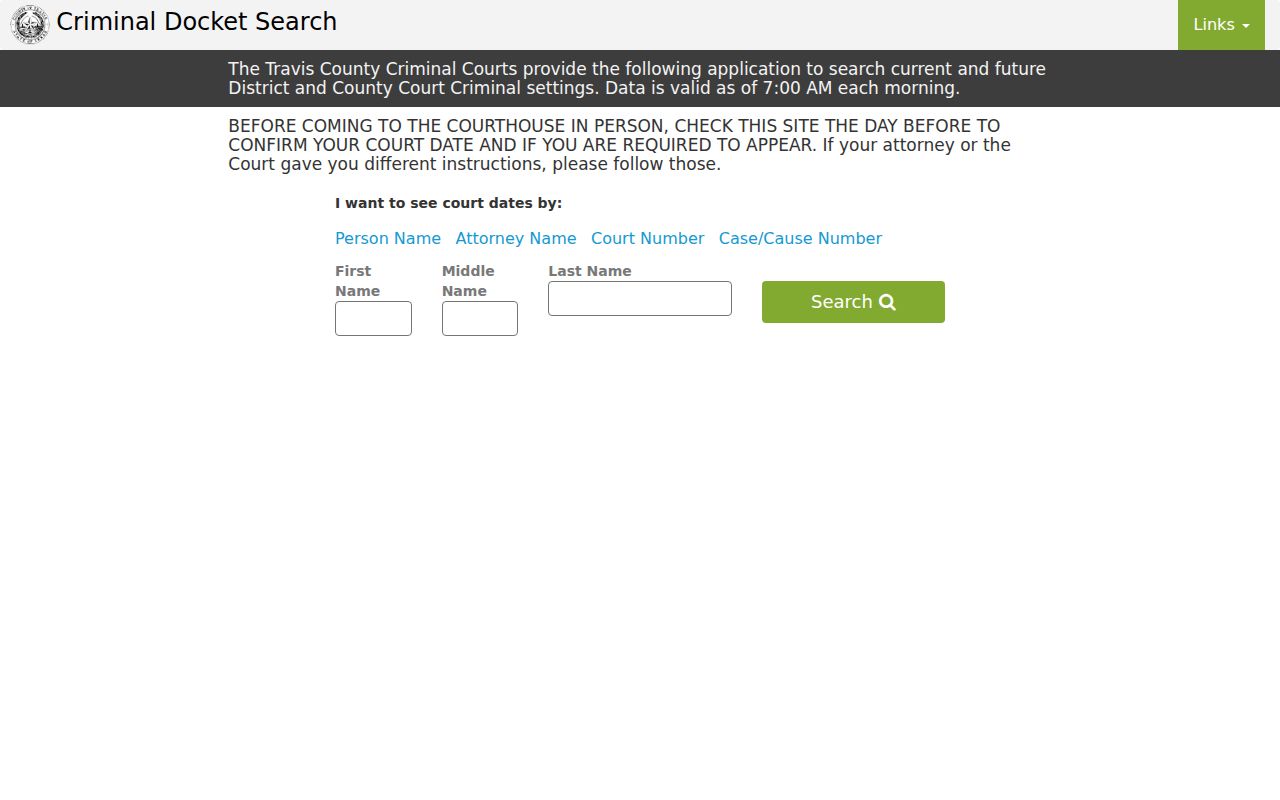
Match a calendar result to the underlying case record with the Texas cause number and court. For the latest setting, compare both views and follow the notice the court actually sent.
Texas Central Dockets and Trial Weeks
Civil calendar labels in Texas often describe case management, not the trial itself. Weekly reports may sort settings into central docket, non-jury, or jury groups. A central docket call can collect announcements. It can then assign or confirm a later hearing or trial date. So read the event type before treating the listed date as a trial's first day.
Travis County's posted civil docket lists show how one court system publishes weekly district and county civil schedules. The reports include central docket and jury or non-jury listings. Formats differ by court. Calendar terms are useful clues. But a local legend or the coordinator can explain what a given label means in that court.
- Central docket
- A calendar-management session where cases may be called and assigned a later date.
- Announcement or status
- A readiness or case-management event; it does not always mean evidence will be heard.
- Jury or non-jury setting
- Indicates a trial mode or setting group, not a guarantee that trial begins that day.
- Reset or pass
- A move or deferral under the court’s process; check the latest date and any order.
Read the Texas setting type along with the date, court, and current notice. If an event looks like only a call or status setting, ask the court coordinator. That person can say what the listed event actually requires.
When a Texas Setting Changes
A reset means the court date moved. The earlier event may stay in the case history. A new calendar line records the later setting. A continuance, by contrast, is a postponement the court authorized through its own process. A cancellation removes or vacates a setting. Its effect should be confirmed from the order or court notice. Some local systems say "passed" or use another status with a Texas court-specific meaning.
Find the newest docket entry. Set it beside any signed reset order or electronic notice. A stale public calendar can stay online after a change. And a case register is not a complete live schedule. The clerk can confirm what the file records; the coordinator handles scheduling logistics. Keep the formal notice, follow it, and confirm any discrepancy before acting.
Note: A reset can leave a past event in the register after the schedule moves. So compare the newest setting and signed order.
When Texas Calendar Dates Conflict
Suppose a Texas online calendar and a court notice show different dates. Don't pick one by guesswork. A signed setting order, summons, or official notice controls what a party must do. A public calendar may lag behind a last-minute change. Save the notice. Jot down the case number and court, and call the office that can answer the question.
Ask the Texas clerk what has been entered in the case file. Ask the coordinator whether the setting was moved and what the schedule now shows. For an appellate matter, contact the Texas appellate court that controls the oral argument calendar. A statewide case search or general hearing resource cannot resolve a conflict. Local scheduling records are what matter in the end.
If You Miss a Texas Setting
Act as soon as you learn a Texas court setting was missed. Check the latest case event. Then contact the court office named on the notice. Tell the clerk the date and case you mean. Ask whether an order or new setting has been entered. The clerk handles the file record; the coordinator can walk through scheduling steps. If you have a lawyer, reach that lawyer promptly too.
Never assume a case was dismissed, reset, or resolved. That assumption fails even if the calendar no longer shows the event. The next step depends on the court, the case, and any order. Follow the court's instructions. And keep copies of notices and communications so the dates and responses stay clear.
If You Missed a Setting:
Call the Texas clerk promptly to ask what was entered in the case file, then contact the court coordinator about the current schedule.
Ask whether a new Texas setting or other order exists. Do not treat an old calendar or a missing listing as proof that no action is due.